
AI transparency
Through the Springer Nature AI Principles, we are committed to transparency in our use of AI.
We also must make sure that any AI based content, tools or features we create follow legal regulations.
The AI Compliance team have created a document that details the standards we need to comply with. Go to the AI Compliance - Transparency Standards(PDF, 179KB)
General guidelines
You must make it clear to users:
- when tools and features are using AI
- what AI tools and features do
- when content or other outputs have been produced by AI
If your product is an AI chatbot, agent or assistant this must be clear through:
- naming (do not use a human name)
- signposting, links and marketing
- onboarding flows or introduction text
Make sure users know they are interacting with an AI based tool.
Label AI features and content
Use the Badge component to show when:
- products, tools or features are using AI
- content has been created by AI
| Use case | Badge text |
|---|---|
| A product, tool or feature runs mainly using AI. | AI powered |
| Content is generated entirely by AI. | AI generated |
| AI has partially created or drafted content that is then reviewed and edited. | AI assisted |
| The product or service is, or is run by an AI agent. | AI agent |
Use the 'AI sparkle' icon in the badge with a text label. Do not use the sparkle icon on its own.
For images, use an additional EU AI icon as a watermark. This is recommended by the EU Code of Practice.
Placement
Place the badge in a predictable location for each use case and keep it close to the content or feature it relates to. This helps users quickly recognise when content, features, or experiences involve AI.
Images
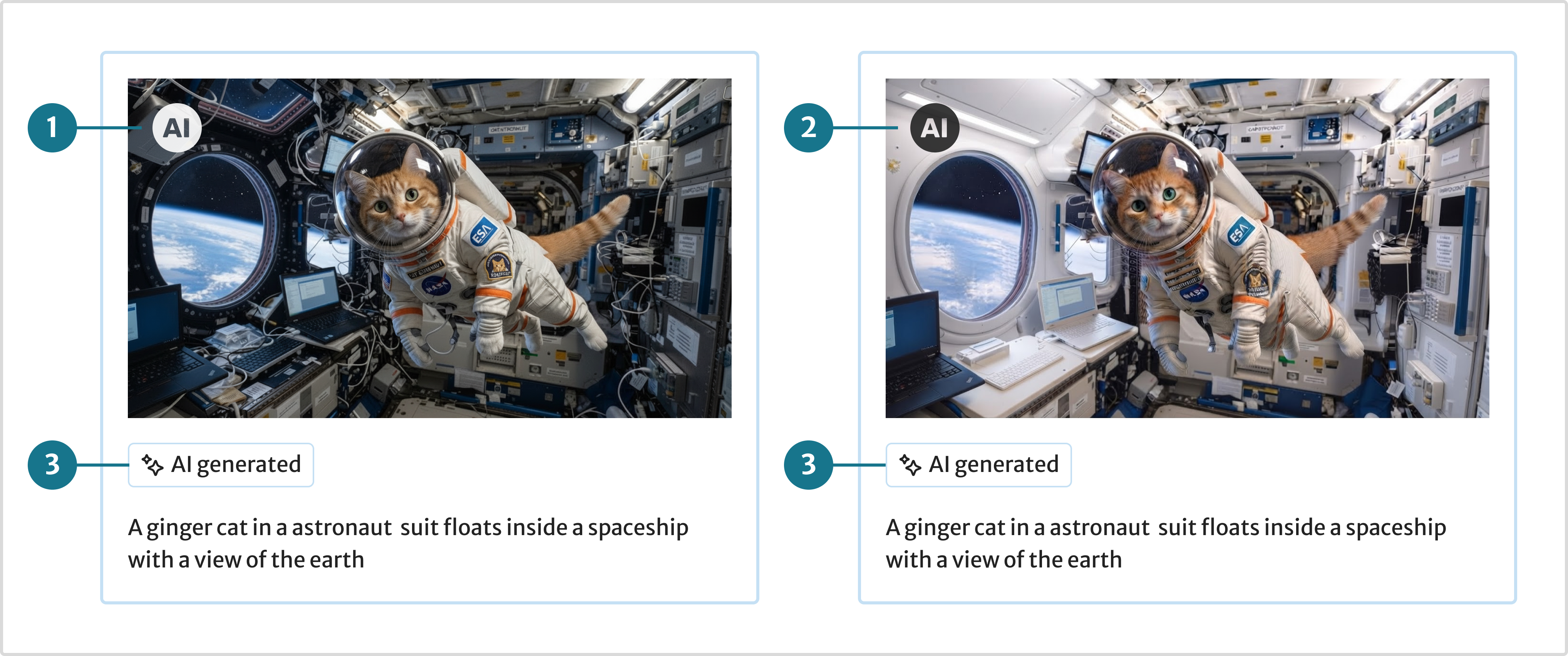
- EU icon (white): On dark backgrounds, place on the top-left corner, as recommended in the EU AI Code of Practice
- EU icon (dark): On light backgrounds, place on the top-left corner, as recommended in the EU AI Code of Practice
- Badge: Place below the image, left aligned to clearly communicate that the content was AI-generated, providing transparency for users.
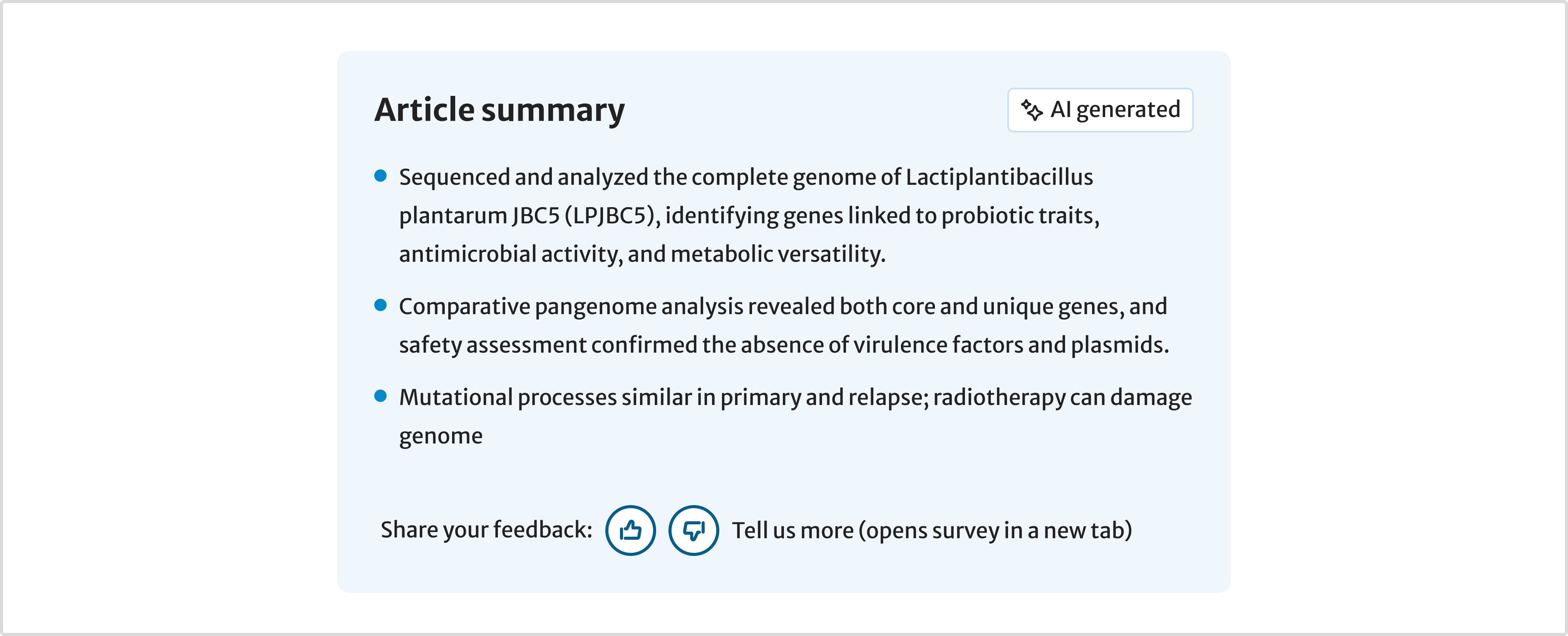
Containers
Place the badge in the top-right corner of the container.
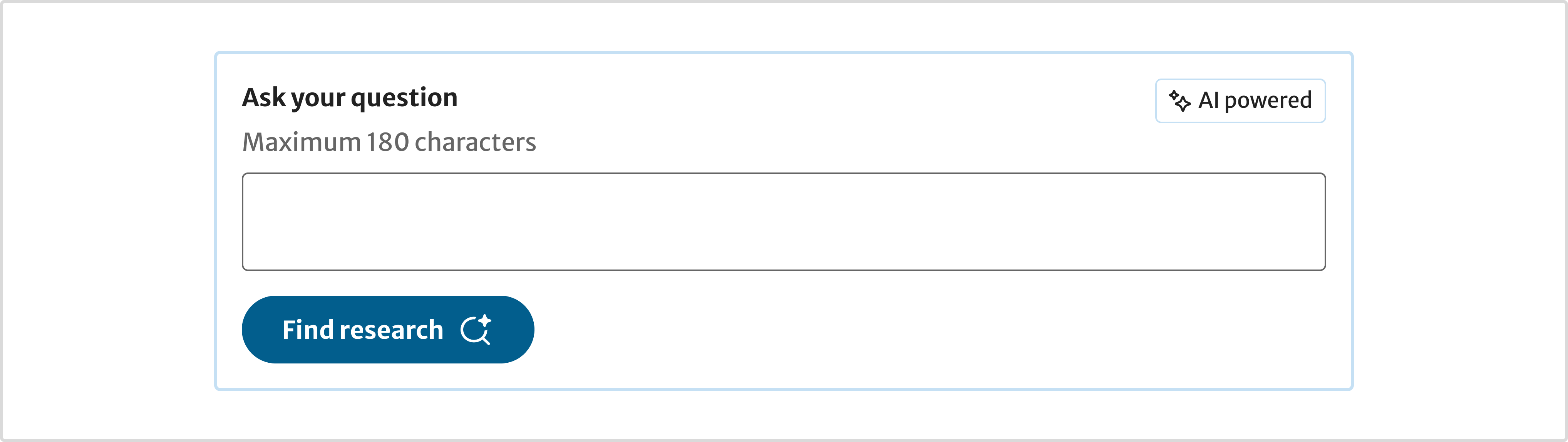
Inputs
Place the badge on the right of the input label, and use a container to group the related elements together.
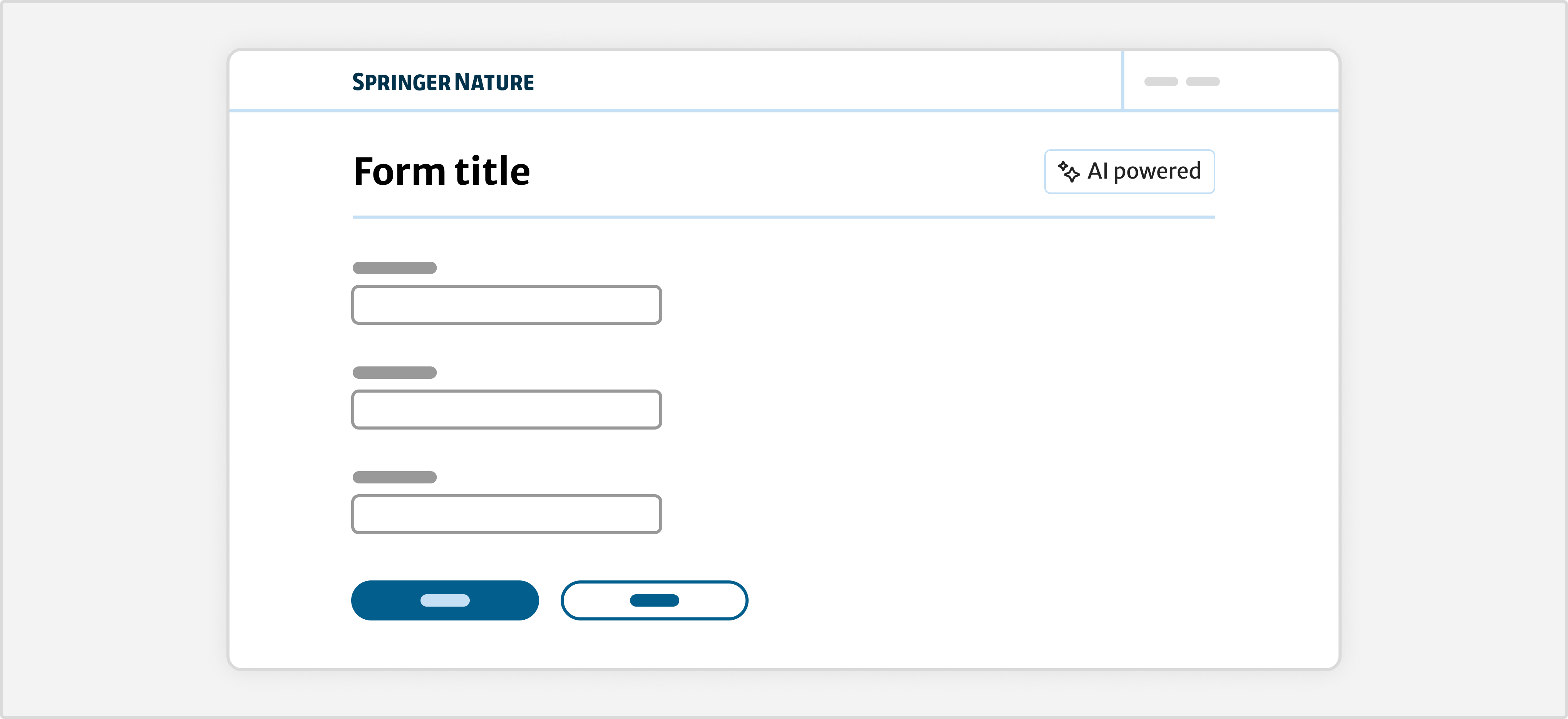
When AI applies to the entire form rather than a single input, place the badge in the top right of the form title.
Mark AI content digitally
Outputs produced by AI must include machine readable metadata that marks them as AI generated or assisted.
This should include:
- AI system name
- company name
- status (generated, assisted)
- date and time
- model
- version
Tell users more about your AI tool or feature
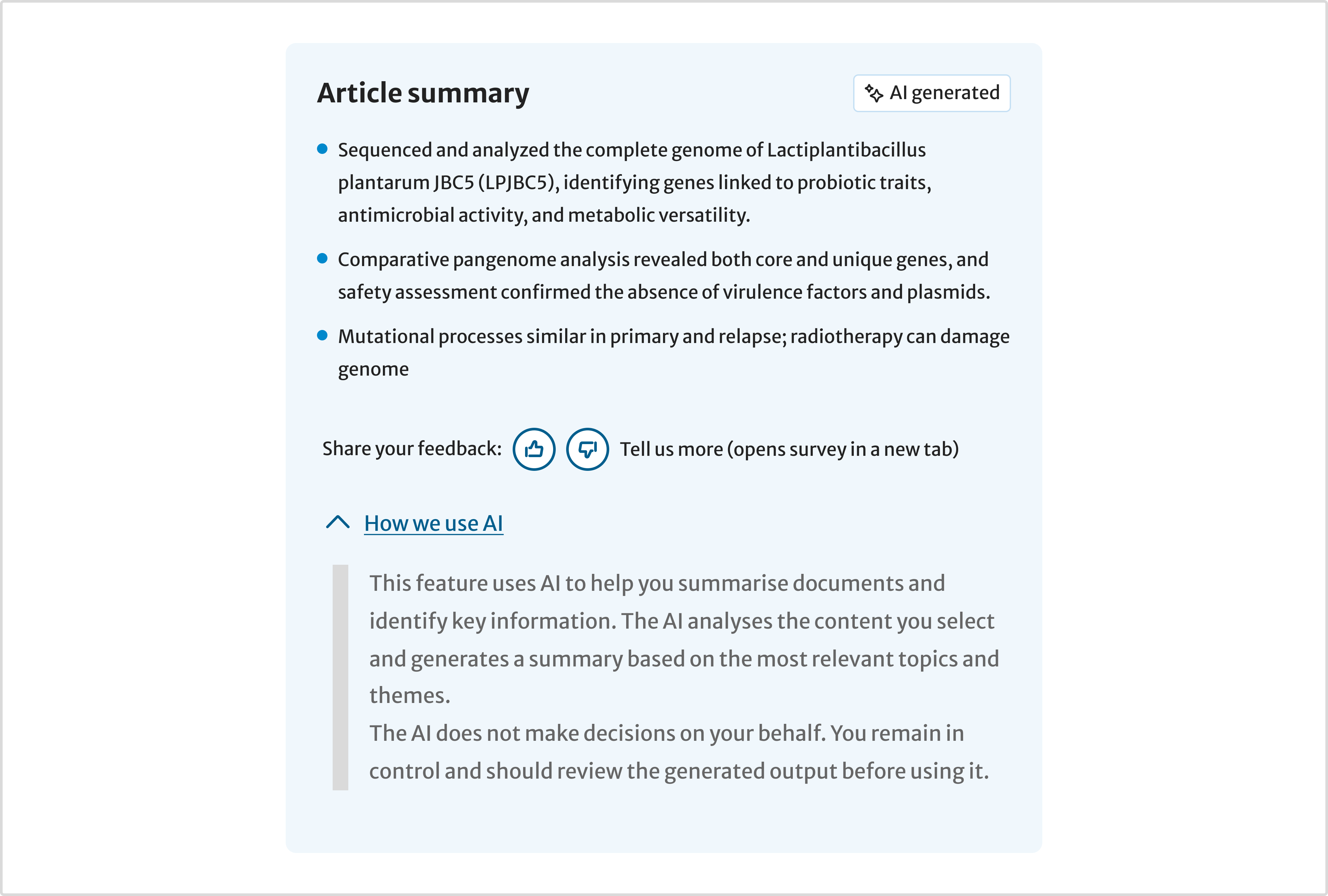
Use the Details component to provide more information on how you are using AI.
Depending on the specific use case, this could include:
- what knowledge sources or content an AI tool is accessing
- what model an AI tool is using
- a general, plain language explanation of what an AI tool is doing
You do not need to include lots of technical detail.
Help improve this page
If you’ve got a question, idea or suggestion about how to improve these guidelines, post in the Ask Content Design Teams channel.